

A 3D configurator is a sales tool first and a 3D project second. Before you call a developer, settle ten things: the options, the rules between them, the models, the price logic, where orders go, AR, mobile speed, build or subscribe, budget, and who maintains it. Brands that arrive with these answers get faster quotes and fewer change orders.
Ten decisions to make before the first developer call
1. List every option and SKU
Write down what a customer can change: sizes, materials, colors, add-ons, text or logo. Mark which options each product family has and which ones map to a real SKU in your inventory or ERP.
This list sets the scope more than anything else. Twenty options on one product is a different project from five options on two hundred products.
2. Write down the rules and production limits
Most configurators fail on rules, not graphics. Which options cannot be combined, what minimum and maximum sizes the factory can build, and which accessories need a certain frame or finish.
Put these in a spreadsheet the developer can read. If the rules live only in your sales team's heads, budget time for a workshop to get them out.
3. Decide where the 3D models come from
Manufacturers often have CAD files, but CAD is built for production, not for a phone browser. Expect the files to be simplified, retextured and exported to a web format; if there is no CAD, a 3D artist models from drawings, photos or samples.
Ask for delivery in glTF or GLB, the open format most web viewers and AR tools read. That keeps your models usable if you change vendors later.
4. Define the price logic
Decide whether the price is calculated in the browser from a table or fetched from your own system each time an option changes. A live call to an ERP keeps prices accurate but adds integration work.
Also decide what the customer sees: a full price, a "from" price, or no price until a sales rep reviews the request. Showing a price changes the whole sales conversation, so this is a management decision, not a technical one.
5. Map what happens after the customer clicks submit
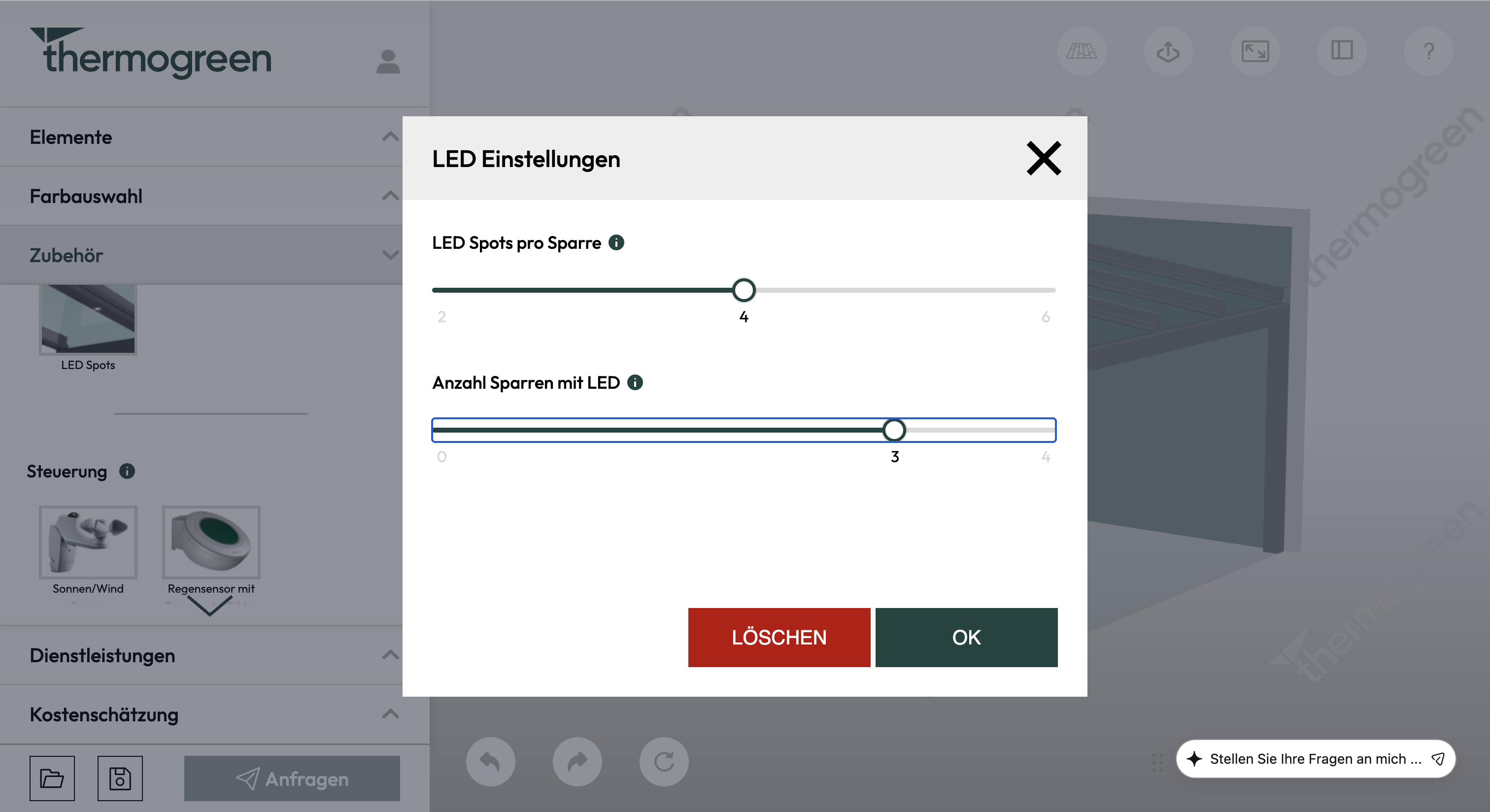
Decide where a finished configuration goes. In the patio-cover configurator that a Culver City 3D configurator studio built for Thermogreen, every submission sends a bill of materials and 3D snapshots to the sales team, who review and finalize the quote.
The studio, Todor3D at 6101 W Centinela Ave in Culver City, later reworked that flow so a salesperson pushes the configuration into the company's CRM, where a quote is generated automatically. The tool has been in production since 2023 and is still being developed, which shows how often the order side changes after launch.
Your options are a cart checkout, a quote request, a saved design the customer can return to, or a shareable link a designer sends to a client. Pick one primary path and name the system that receives it.
6. Decide whether you need AR
AR lets a shopper place the product in a room or on a hand through the phone camera. It matters most for furniture, outdoor structures and jewelry, where size and fit decide the purchase.
Browser-based AR works without an app, using standards described by the Immersive Web community and platform viewers on iOS and Android. Plan it from the start, because AR needs lighter models and real-world scale.
7. Set a speed target for phones
Most visitors will open the configurator on a phone, often on cellular data. Agree on a target load time and test on a mid-range Android device, not only on the developer's laptop.
Speed comes from model size, texture compression and loading only what the current product needs. Make it part of acceptance, not an afterthought.
8. Choose between a custom build and a subscription
Subscription configurator platforms are quick to start and fit products with standard options. A custom build makes sense when your rules, pricing or order flow are specific, or when the configurator is central enough that you want to own the code.
Ask any vendor who owns the 3D models and the code at the end. On a subscription, find out what happens to your configurator if you stop paying.
9. Set a realistic budget and timeline
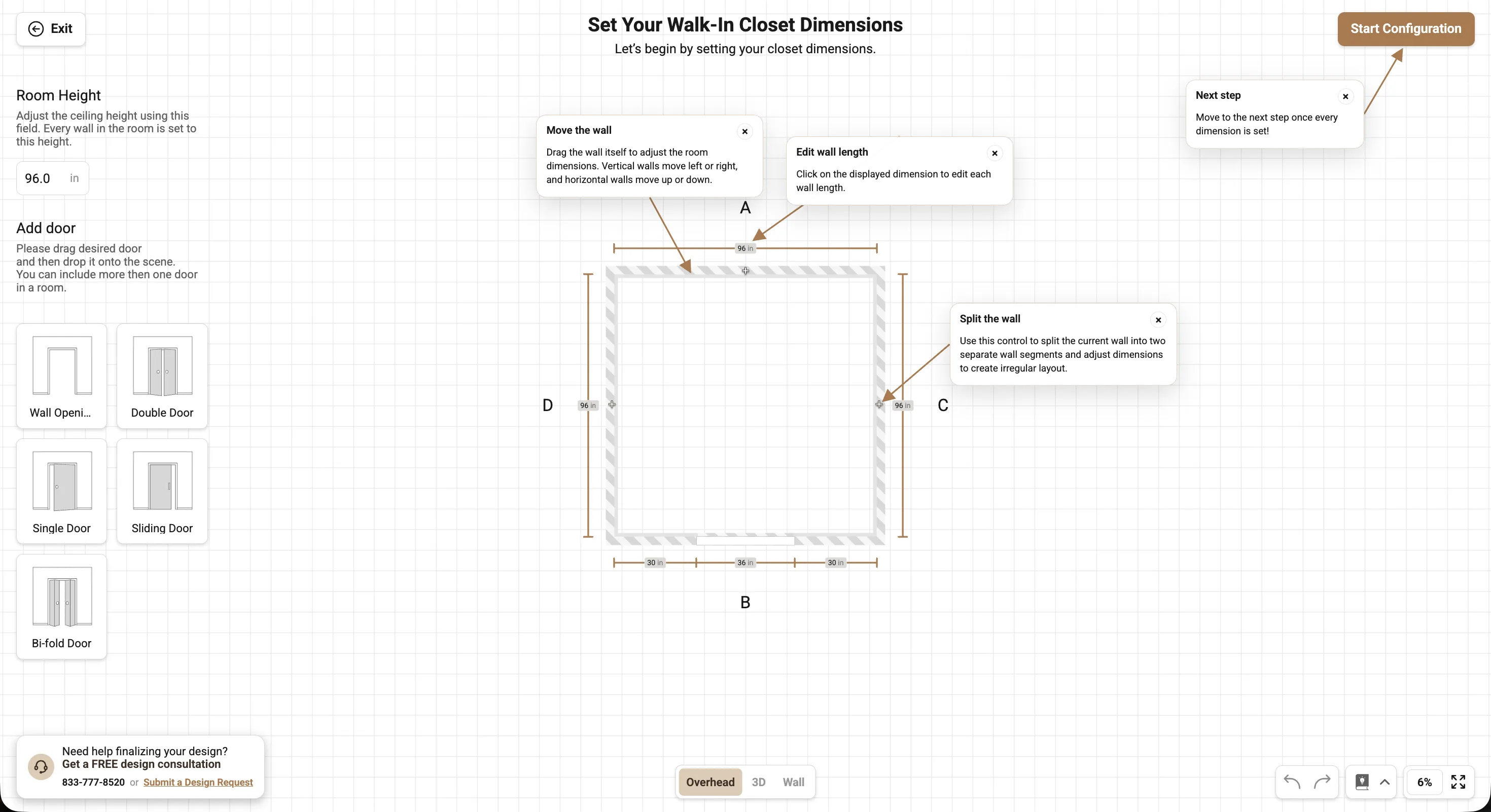
Studios that publish budgets show the spread. At Todor3D, a closet configurator embedded in a WordPress store took four months in the $10,000–50,000 band, while the Swiss patio-cover tool, with ERP pricing and CRM handoff, sits at $50,000–100,000 and is ongoing.
Integrations and rules, not graphics, usually move a project into a higher band. Keep a reserve for the first months after launch, when real customers find combinations nobody tested.
10. Name who maintains it after launch
New products, new colors and price changes never stop. Decide whether your team updates options through an admin panel or every change goes back to the developer.
If the developer handles updates, agree on a support plan before launch. Ask for documentation of how the models, rules and integrations fit together, so another team can take over if needed.
The checklist in one table
| # | Decision | Ready when you have |
|---|---|---|
| 1 | Options and SKUs | A list of options per product family, mapped to SKUs |
| 2 | Rules and limits | A spreadsheet of incompatible options and size limits |
| 3 | 3D models | CAD files or reference photos, and GLB as the delivery format |
| 4 | Price logic | A price table or the ERP endpoint, and a decision on showing prices |
| 5 | Order path | The system that receives each finished configuration |
| 6 | AR | A yes or no, and the products that need it |
| 7 | Mobile speed | A load-time target and a test device |
| 8 | Build or subscribe | A decision on code and model ownership |
| 9 | Budget and timeline | A budget band, a launch date and a post-launch reserve |
| 10 | Maintenance | An owner for updates and a support plan |
FAQ
How long does it take to build a 3D product configurator?
A focused configurator for one product family often takes one to four months. Projects with ERP pricing, many product lines or AR take longer and usually continue as ongoing development.
Do we need 3D models before we start?
No, but it helps. CAD files speed up modeling; without them, a 3D artist builds models from drawings, photos or physical samples, which adds time to the first phase.
Should a California brand hire a local developer?
For browser-based configurators, location matters less than a portfolio of similar builds with live demos. A local team helps when you want in-person workshops or need someone to photograph or scan physical products.